Bridging the gap between your legacy devices and modern high-definition displays.
Do they work? Yes, absolutely. But it’s not just a simple cable; there’s some smart technology happening inside.
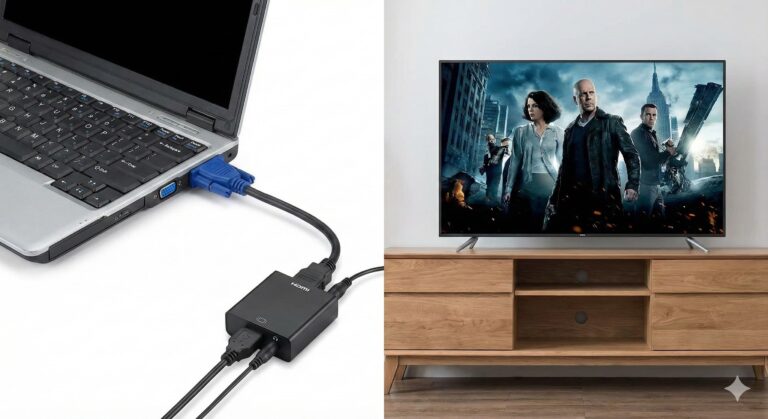
A VGA to HDMI converter is an essential little gadget designed to solve a very common problem: connecting an older computer or laptop that only has a VGA port to a newer monitor, TV, or projector that only has HDMI ports.
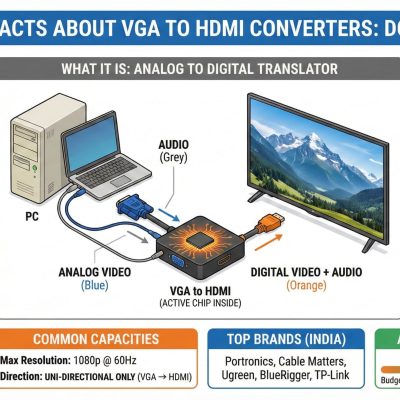
Here’s the core challenge: VGA (Video Graphics Array) is an older, analog video signal technology. HDMI (High-Definition Multimedia Interface) is a modern, digital standard that carries both video and audio. You can’t just pipe an analog signal into a digital port and expect it to work; they speak different languages.
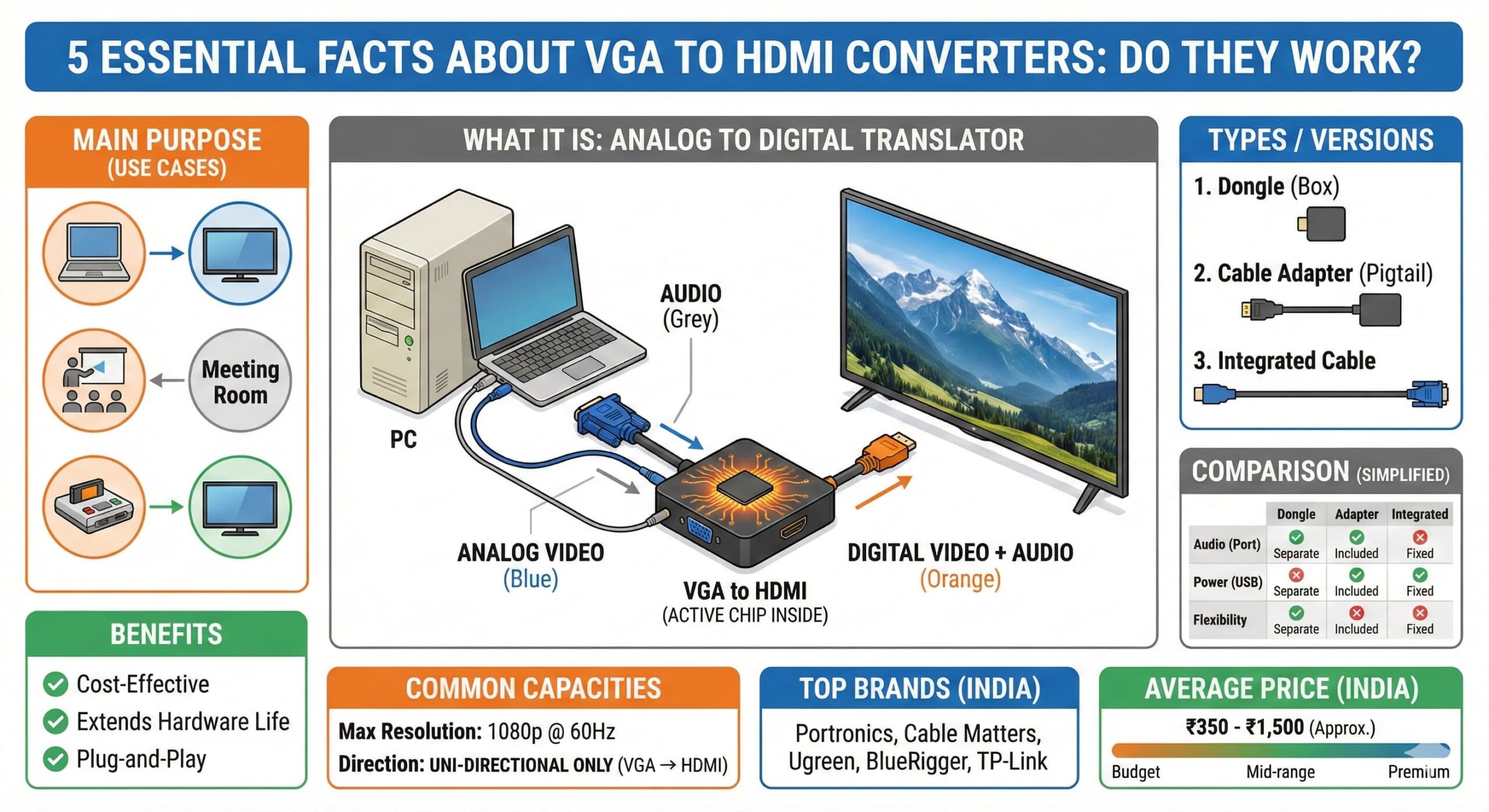
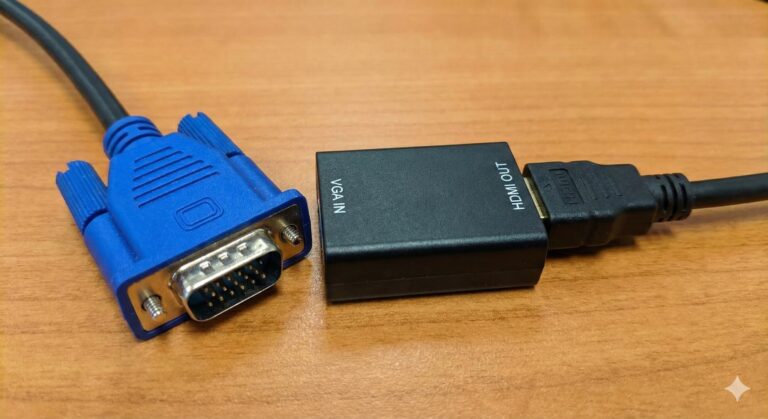
This is where the “converter” part comes in. A VGA to HDMI converter isn’t just a passive cable with different plugs on each end. Inside the converter housing (often a small box or a slightly bulky part of the cable) is an active microchip. This chip acts as a translator. It takes the incoming analog VGA video signal from your old computer, processes it, and actively converts it into a digital HDMI signal that your modern TV or monitor can understand and display.
Crucial note on audio: A standard VGA cable only carries video picture, not sound. HDMI, on the other hand, is designed to carry both. Therefore, most decent VGA to HDMI converters will have a separate 3.5mm audio jack (like a headphone jack) and an included audio cable. You plug one end into your computer’s headphone/speaker out and the other into the converter. The converter then combines this audio signal with the converted video signal and sends both together over the single HDMI cable to your TV or monitor, giving you both picture and sound. Some converters also require power, usually via a small USB cable connected to your computer.
In summary, it’s an active electronic device that bridges the technological generation gap, giving new life to your older hardware.
4. Main Purpose / Use Cases
The primary purpose of a VGA to HDMI converter is legacy device integration. It is most commonly used in the following scenarios:
Connecting an old laptop or desktop PC to a modern HD or 4K TV: Great for watching movies stored on an old computer on a big screen, or for basic web browsing and gaming.
Presentations: Connecting an older work laptop with only VGA output to a modern HDMI projector in a conference room or lecture hall.
Dual Monitor Setup: Using an old VGA monitor as a secondary display for a modern laptop that has an HDMI output (Wait, this is the reverse! For this you need HDMI to VGA. A VGA to HDMI converter allows an old PC to connect to a new monitor).
Retro Gaming: Connecting older gaming PCs or consoles (like a Sega Dreamcast with a VGA box) to modern flat-screen TVs.
5. Benefits
Cost-Effective: It’s much cheaper to buy a converter (often under ₹500) than to replace a perfectly functional older computer or monitor just because the ports don’t match.
Extends Hardware Life: Allows you to get more years of use out of older technology that still works well for basic tasks.
Plug-and-Play: Most converters require no special drivers or software installation. Just plug the cables in correctly, and it works.
Versatility: A simple solution for various situations, from home entertainment to professional presentations.
6. Types / Versions
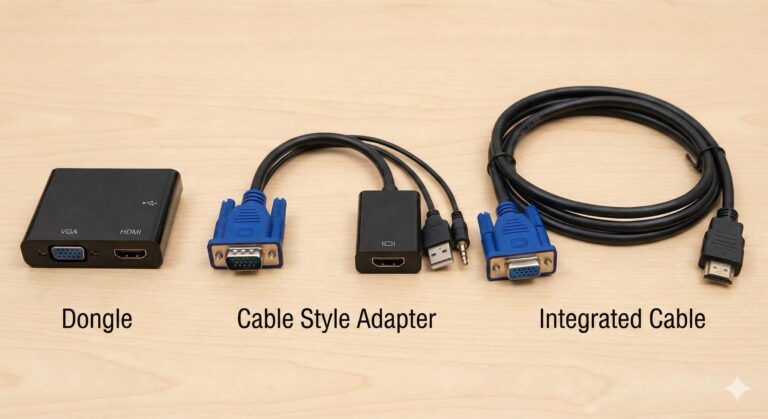
Generally, there are a few common form factors and feature sets:
Type A: Simple “Dongle” Style: A small box with a VGA port on one side and an HDMI port on the other. You provide your own VGA and HDMI cables. Often has ports for audio and USB power.
Type B: Cable Style Adapter: Looks like a short cable with a bulky VGA connector on one end (containing the conversion chip) and an HDMI female port on the other. Usually includes an attached USB power cable and a separate 3.5mm audio cable. This is a very common and popular type.
Type C: Long Integrated Cable: A single long cable with a VGA connector on one end and an HDMI connector on the other. These are less common and can be problematic if the internal components aren’t high quality, as analog VGA signals can degrade over long distances. They also still require a separate audio connection.
7. Comparison Between Types
| Feature | Simple Dongle (Type A) | Cable Adapter (Type B) | Integrated Cable (Type C) |
| Form Factor | Small box, separate cables needed | Short pigtail cable, compact | Single long cable |
| Audio Support | Usually separate 3.5mm port | Separate 3.5mm cable included | Often no audio or separate cable |
| Power Source | Often requires mini/micro USB | Usually integrated USB cable | May draw power from VGA (less reliable) |
| Flexibility | High (use any cable lengths) | Medium (fixed short adapter) | Low (fixed length) |
| Common Use | Permanent desktop setups | Laptop travel bag, quick connects | Specific fixed installations |
8. Common Capacities
Max Resolution: Most standard converters support resolutions up to 1080p (1920×1080) Full HD. While some may claim higher, the analog VGA signal itself becomes a bottleneck at higher resolutions. 1080p is the practical and reliable limit for most users.
Refresh Rate: Typically supports a standard 60Hz refresh rate at 1080p.
Directionality: EXTREMELY IMPORTANT. These converters are uni-directional. They only work one way: from a VGA source (computer) to an HDMI display (TV/Monitor). They DO NOT work in reverse (e.g., connecting a PS5 with HDMI to an old VGA monitor). For that, you need a different “HDMI to VGA” converter.
9. Top Brands in India (Manufacturer / Importers / Distributors)
Based on market presence and availability online, here are some of the top brands for these converters in India:
Portronics: A widely recognized Indian brand for computer peripherals.
Cable Matters: A globally known brand for reliable cables and adapters.
Ugreen: A popular Chinese brand known for good quality affordable accessories.
BlueRigger: Known for premium quality cables and varied adapters.
Zebra: Another common brand in the Indian computer accessories market.
TP-Link: While mostly known for networking, they also offer some connectivity adapters.
Generic / Store Brands: Many unbranded or store-brand options (like AmazonBasics or Flipkart SmartBuy) are also widely available and popular due to low pricing.
12. Average Price in India
(Note: This is based on an online survey of major e-commerce platforms. Data is approximate.)
The price for a reliable VGA to HDMI converter in India typically ranges from ₹350 to ₹1,200.
Budget range: ₹350 – ₹600 (Often generic brands, may lack separate USB power or feel less durable).
Mid-range (Most Popular): ₹600 – ₹900 (Good balance of quality and price from brands like Ugreen, Portronics).
Premium range: ₹900 – ₹1,500+ (Well-known international brands like Cable Matters, often offer better build quality and signal stability).
13. Most Used Brands in India
Due to their varied product range, wide availability on platforms like Amazon and Flipkart, and aggressive pricing, brands like Portronics, Ugreen, and various generic/store brands are likely the most widely purchased by common consumers in India for this specific type of converter.
14. Current Market Trends and Future
A Niche but Steady Market: The market for these converters is a “long tail” market. As long as older VGA-equipped devices remain in use in homes, offices, and schools, there will be a steady demand for these converters.
No Major Innovation: Since VGA is a legacy technology that is no longer being developed, there are no groundbreaking new technologies happening with these converters. The technology is mature.
The Slow Fade: The long-term trend is a slow decline in demand as older computers are eventually replaced with newer models that have native HDMI, DisplayPort, or USB-C video outputs, eliminating the need for conversion.